Hi All,
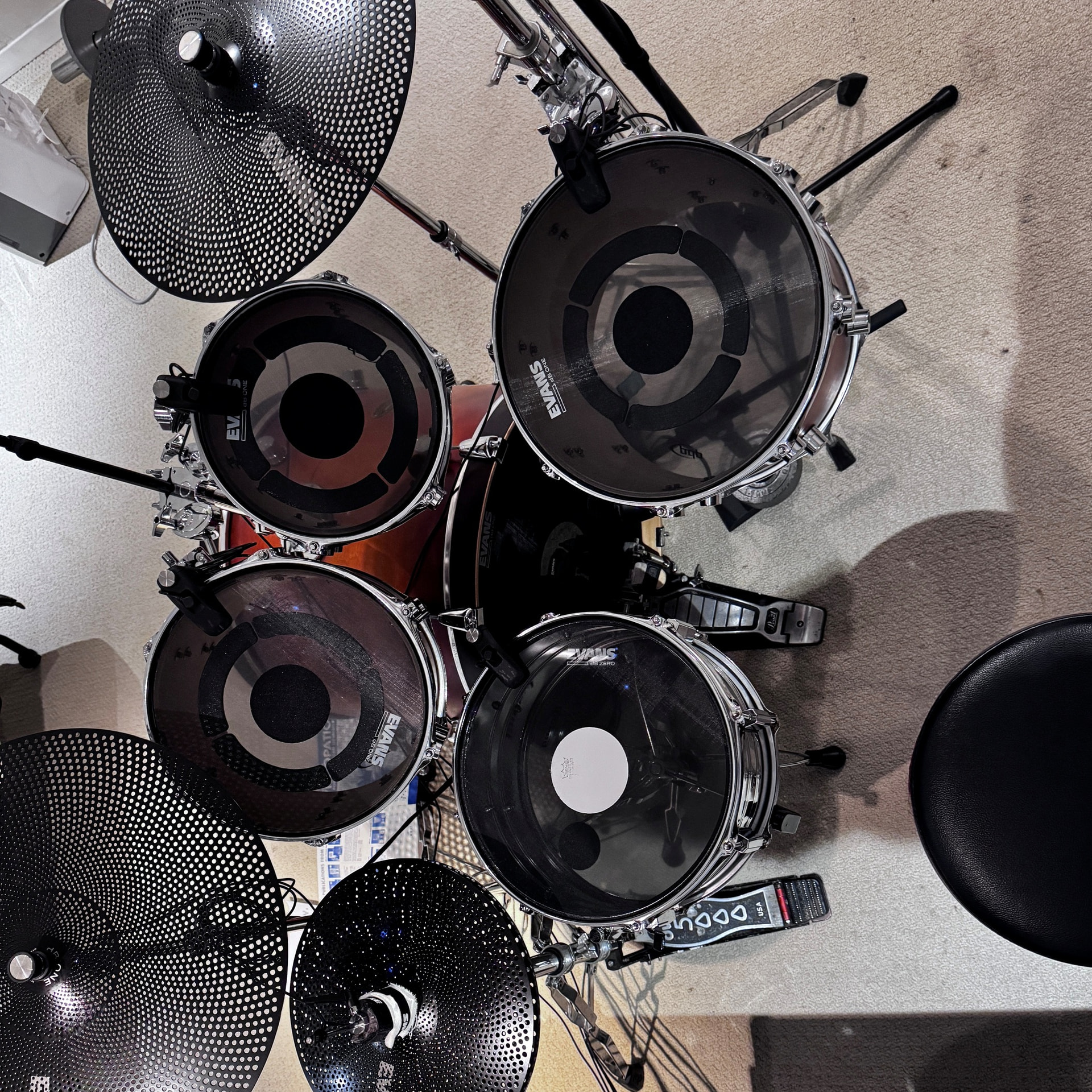
I’m not sure if others might already be doing this, but I though I would post it, since it has allowed me to play my normal 8-piece kit in SP. This only works with a kit that is using all low-volume heads and cymbals. A hybrid kit will will make too much noise for this to be effective.
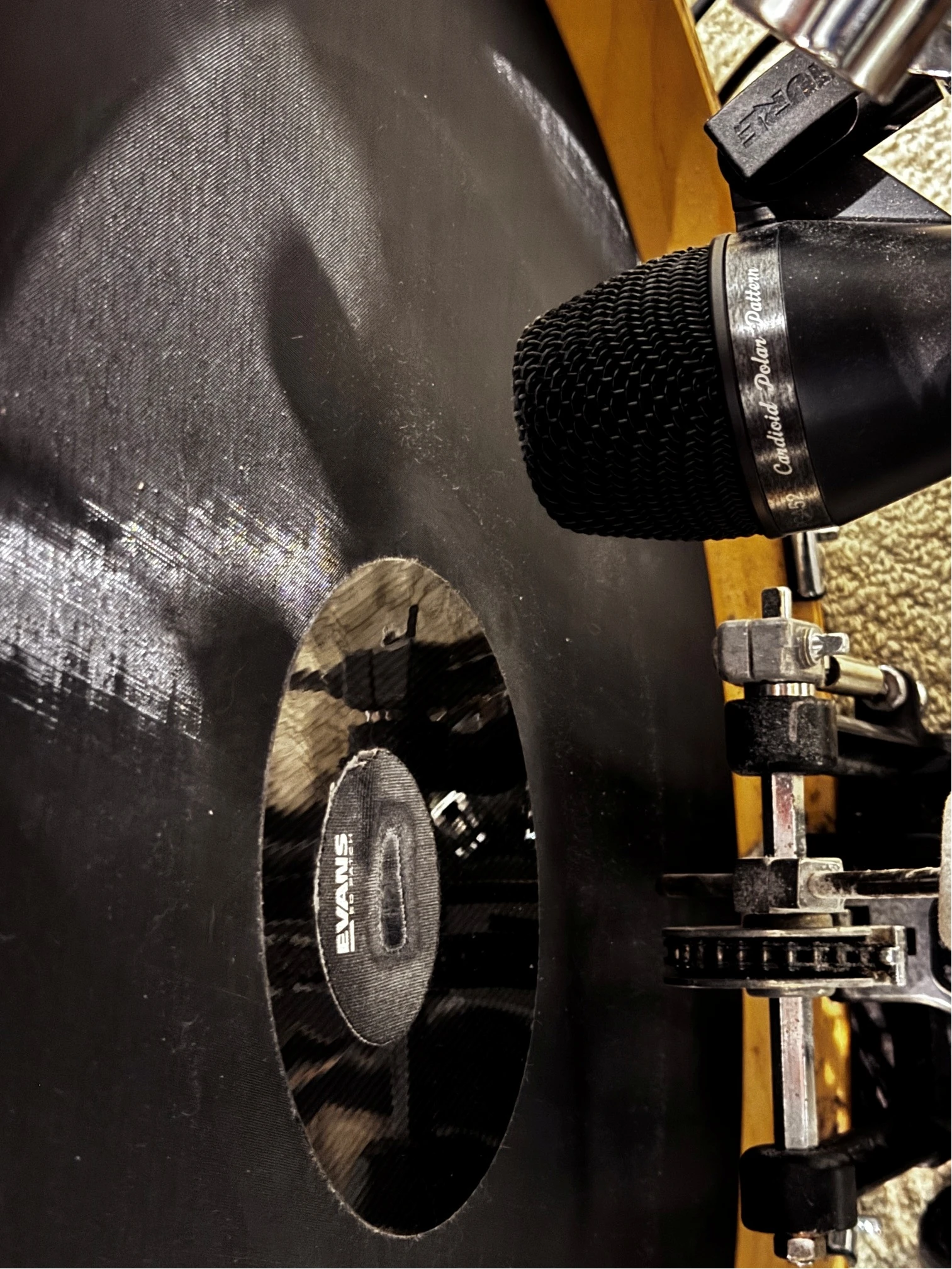
So: you can successfully use a dynamic microphone in lieu of a sensor for your bass drum. It can only train one zone, but for me this was enough to allow me to use three toms, which is what I am used to. I have experimented with different mic positions, inside and outside the drum, and I have found that the best position (for my mic at least) is in front of the drum, slightly offset to the pedal strike. Here are the basic steps:
- Using a mesh head, with a tuning patch, set up the dynamic mic as shown in the picture below. Using a really soft batter, or a mesh head with no patch won’t create enough attack for this to be effective.
- Connect the mic to either an XLR input on the Evans Portal. (Tip: if you have a mixer or an EQ pedal, you can route the mic through that first and remove the high-end EQ for better results).
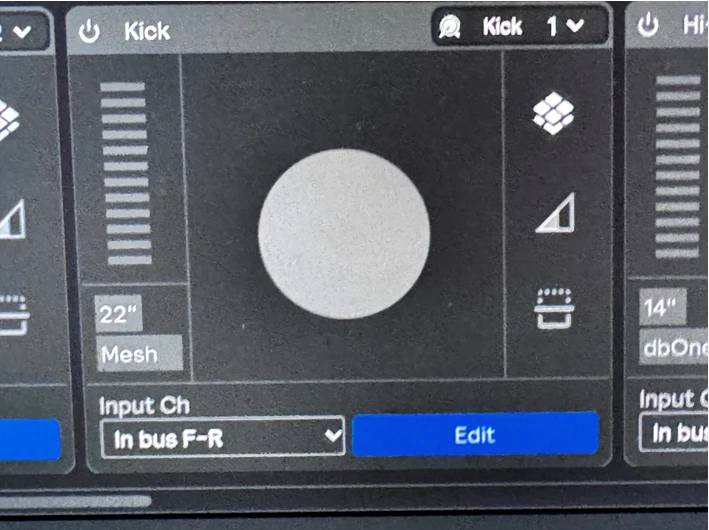
- Create a sensor input in SP, and select the appropriate XLR or line input, and set it as a bass drum type.
- Open the training window, and experiment with your playing style while monitoring the input and output levels. You want to take the input gain as low as possible while still registering a good dynamic range between your hard and soft hits. Also use the XLR input gain on the portal and test different input level combinations until you have a good result. you want to keep the input gain as low as possible so that as much noise from the rest of the kit is removed as possible.
- Then, adjust the output gain curve and level to achieve the desired results for your playing style.
- Next, you can play around with the cross talk reduction settings, and the void zone training to eliminate any false hits registered by the other drums on the kit.
And there you have it! a “free” 8th sensor! I have gotten my settings refined enough that I have zero cross-talk issues and the kick responds the way I want it to dynamically.
Good Luck!!
Here are some photos for reference:
1: mic position. This works best, as opposed to inside the shell because it picks up the least amount of kit noise (which is amplified by the shell)
2: Create the sensor input and set it as a kick drum. I am using Ableton, so my input labels are different than the standalone software.
3: Here is my overall kit setup with 8 pieces, all running through the portal: