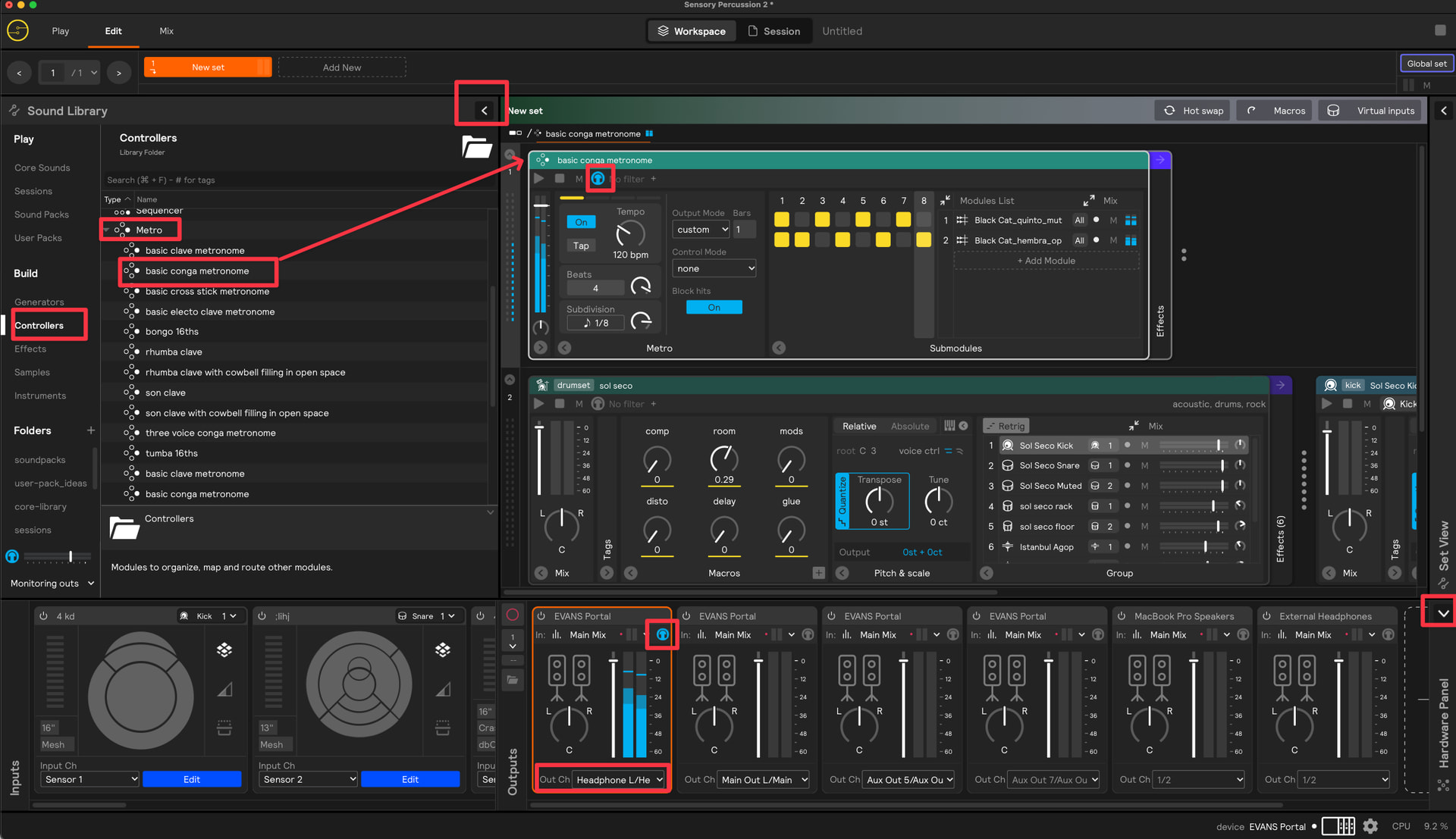
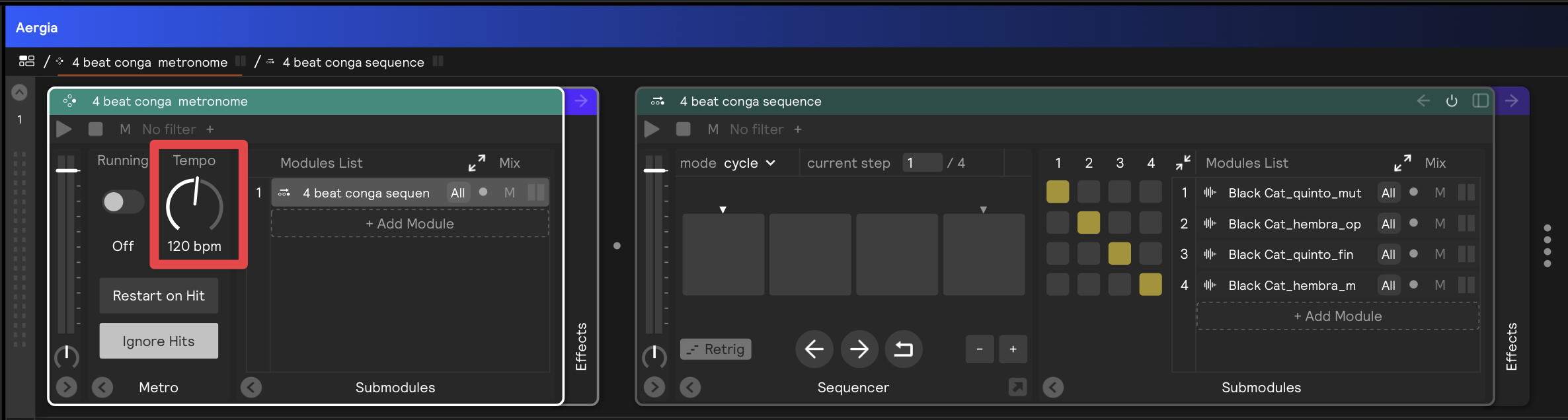
Hey guys! I’m removing this template and blurring my previous post, because this functionality has been added to the software in a much nicer way - no need for a template. You can now create a metro controller, select a preset, and then send it to your headphone mix by clicking the headphone icon. See screenshot below.
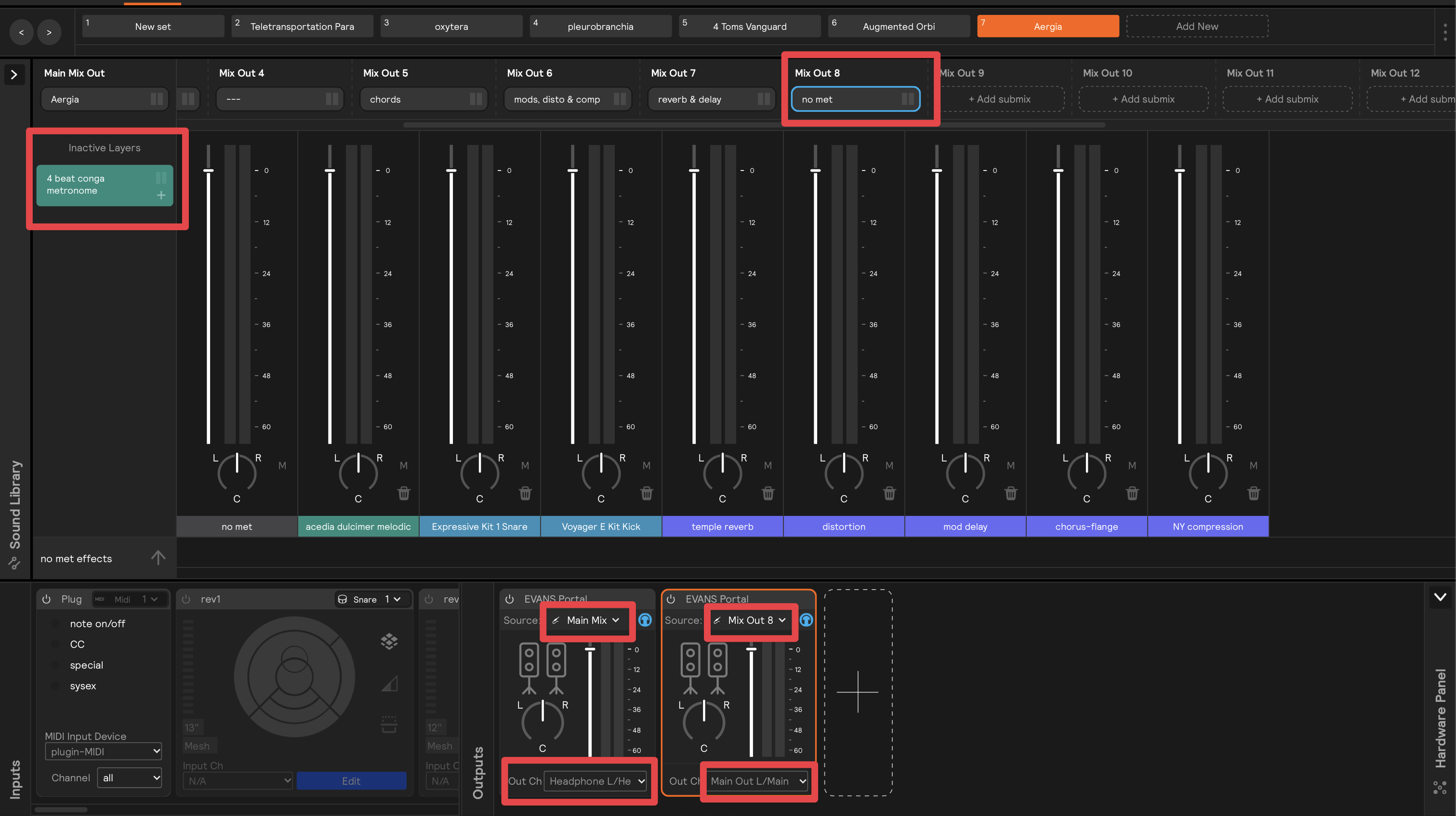
In order to route it just to the headphones, in the current version of the software you’ll want to send a submix without the metronome to the main outs (while sending the main mix to the headphone outs):
hey thank you @stevenz !!!
You’re my savior. I’ve been trying to disconnect the metronome from the main for weeks. Unfortunately, I haven’t been able to do it.