Hi,
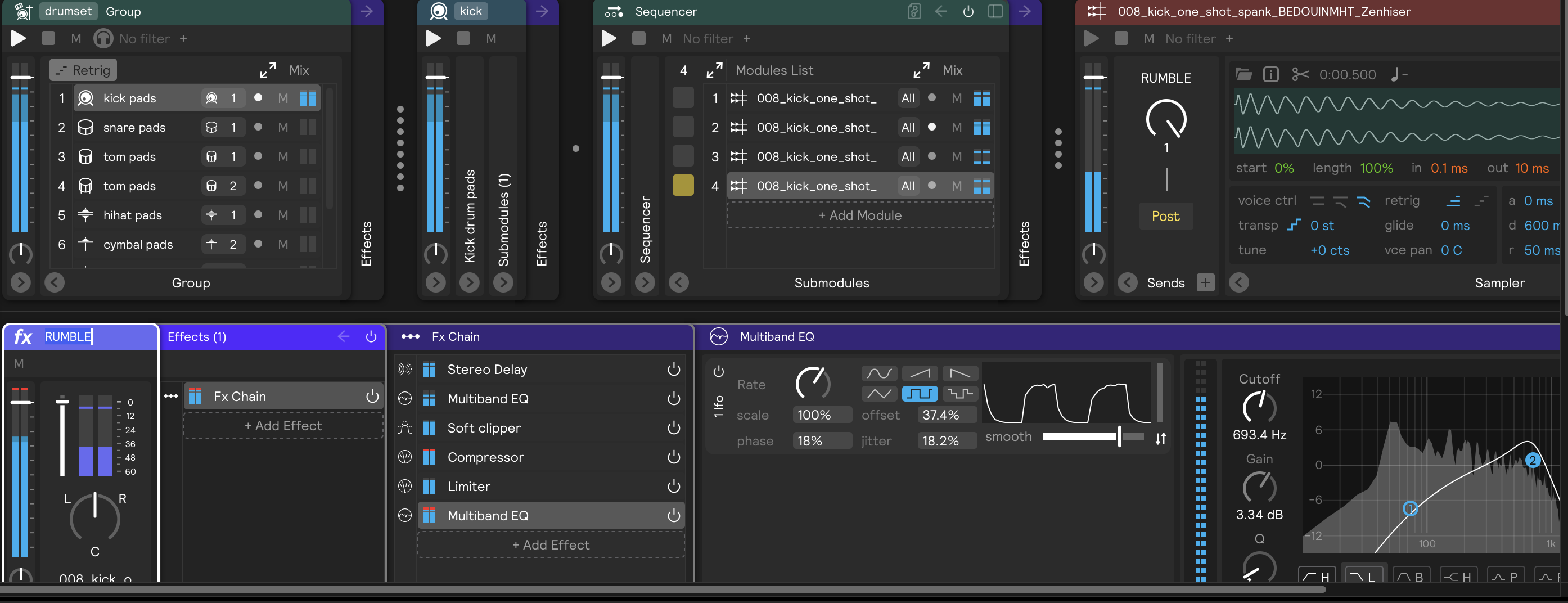
I’m trying to create a delay rumble for a kick drum, similar to the kind of rumble you hear in techno music.
For this, I’m delaying every fourth kick with a 5/16 delay and adding some distortion and EQ. Since I want to keep the original kick sound steady and unaffected, I’m using a Send for parallel processing.
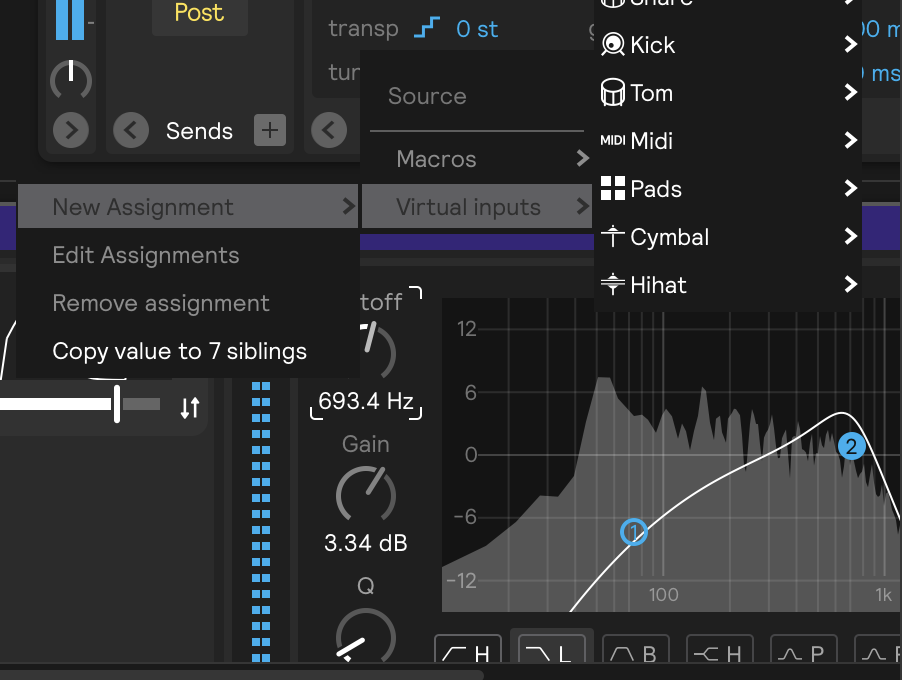
Now I’d like to modulate the final Multiband EQ to create a smooth, evolving movement over time. However, the LFO doesn’t appear as an available source on the Assignment page. I can activate the modulation view on the EQ, but there don’t seem to be any mapping options there either.
Are there any workarounds for this?
Also, is there a way to set up Sends in the Global Set rather than in the individual Sets? This would be really useful for this kind of setup.
Thanks in advance!
Hi @Nici_Struchen!
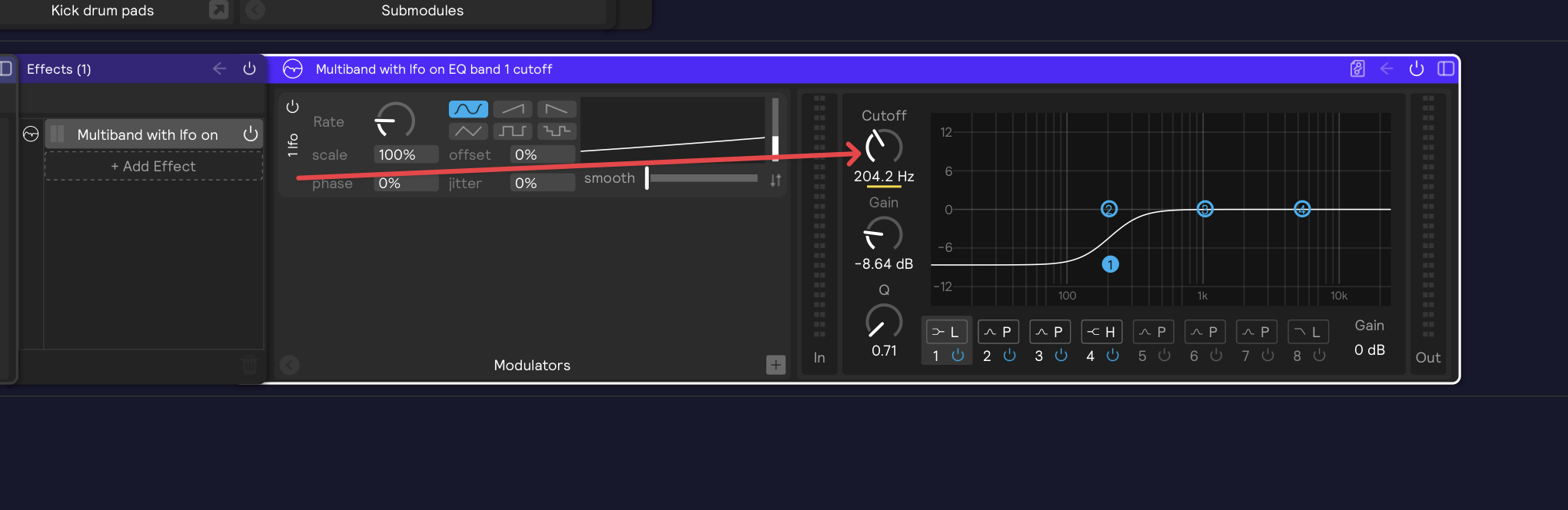
You can definitely drag and drop modulators to the parameters of the multi band EQ. Here is an example snippet you can paste into the FX panel to see a modulator mapped to the first band of the multi band EQ:
<clipboard><multibandEQ uuid="1ab67573770e43fba63a6c28bae76d7f" pinned="multibandEQ,modulatorPanel" unfolded="multibandEQ,modulatorPanel" name="Multiband with lfo on EQ band 1 cutoff" selected="1"><filterBand cutoff="11698.01171875" filtertype="Low Shelf" uuid="174cadbe48d94850830ace35237d12a1" displayedAssignment="d3c94d22888d41afa6a1b405935a932a" gain="-8.63671875"><assignment name="# Cutoff" paramId="cutoff" outputMin="10.0" outputMax="22000.0" uuid="d3c94d22888d41afa6a1b405935a932a" inputs="a1a693e720a148e3bfcd1dbb8a2d728b" mode="external"/></filterBand><filterBand cutoff="200.0" filtertype="Peak" uuid="d568cfaa6034469fae2604e226a34a1b"/><filterBand cutoff="1000.0" filtertype="Peak" uuid="f47d32ec8169455e8786095ba32436f0"/><filterBand cutoff="5000.0" filtertype="High Shelf" uuid="0ac1d3d70fca40ef9150d7cced6f6a35"/><filterBand cutoff="100.0" muted="1" filtertype="Peak" uuid="59eee7be112a4de78250a7778d6e6fa4"/><filterBand cutoff="10000.0" muted="1" filtertype="Peak" uuid="6eb212ec5c9d444a9e0a158972988312"/><filterBand cutoff="7000.0" muted="1" filtertype="Peak" uuid="55f72d09f02a4407b8603833373c1c43"/><filterBand cutoff="18000.0" muted="1" filtertype="Low Pass" uuid="3b1a47b31ae94af9949c37e9f2b09b28"/><lfo name="# lfo" uuid="a1a693e720a148e3bfcd1dbb8a2d728b" selected="1" rate="0.04930790513753891"/></multibandEQ></clipboard>
To create something similar yourself, just open the modulator panel of the EQ, add an LFO modulator, and drag it to a parameter of the EQ.
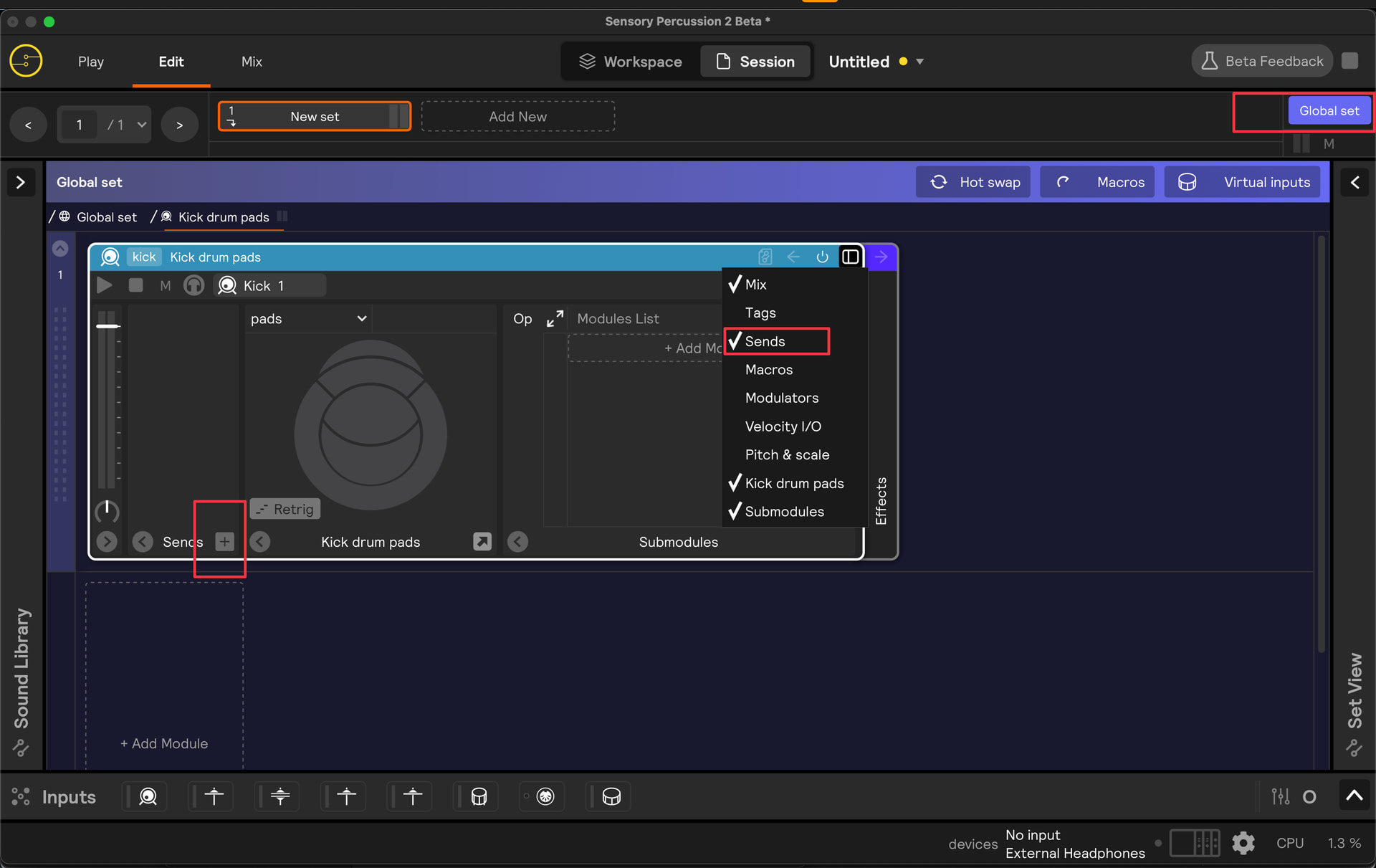
To create a send on the global set, just navigate to the global set, open the sends panel of one of your layers, and then add a send by clicking the plus button. An Audio Bus layer will appear below.
Let me know if you have any other questions or if anything wasn’t clear!
1 Like
Hey Stevenz,
Ahh nice!! I didn’t know you could drag the LFO — great!
You’re right, the Global Set has Sends, but they don’t appear on the individual Sets. I want to process the kick from each Set through the same send effect.
Would the best way be to route all the kicks to a mix bus and apply the Global Send there? Or is there an easier way to achieve this?
Hi @Nici_Struchen ,
I see - yes, you’re right, it’s restricted to bus audio from one set to another (and the global set is technically a different set: one that is always on and layered over your selected set).
So in order to accomplish what you want, I think the best workflow would be to make your kick send a part of each set in your session. You can simply copy and paste it into each set and then route your kick to it.