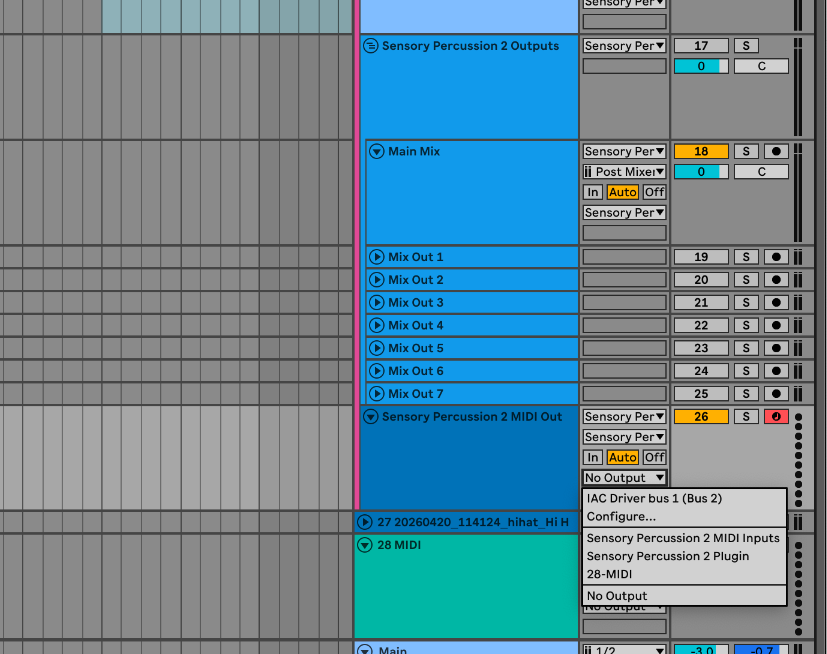
Since I updated to 2.6, the MIDI output of the plugin appears to have stopped working in Ableton. Inside the plugin I can see that it’s sending MIDI notes and CC out of the plugin, but this is not showing up on the Plugin MIDI OUT channel in Ableton.
If I select IAC Driver as the plugin MIDI output then MIDI appears via the IAC MIDI input in Ableton but if I select Plugin-MIDI as the output, I get nothing showing up on the Plugin MIDI OUT track in Ableton.
Anyone having the same issue or have any ideas what might be going wrong?
I am having the same issue. I am on windows though, so apparently my only fix is to find a third party software for midi routing since I don’t have the IAC driver.
I think this is an issue with version 2.6. Hopefully they release a patch soon.
Actually the IAC driver is not appearing consistently as an output either. There’s definitely a bug with the new 2.6 plugin. Sometimes all the possible MIDI ins and outs show up and sometimes only certain ones show. At times all MIDI outs are greyed out in both the MIDI settings page or the MIDI Output module in Outputs. The Plugin MIDI OUT never sends MIDI in to Ableton.
Yep, I’m having issues with v2.6. Completely lost the VST plug in (Win11) and can’t get it re-installed. It also oddly, removed Live sets using the VST from my recent projects list, so I’ve lost a bunch of work too. Can’t find a stand alone VST installer for it anywhere and trying to do it through the stand alone isn’t working, despite a full re-installation of v2.6
Hey everyone, thanks for reporting these issues and your patience as we get them fixed. We just posted a beta that addresses most of these issues. Please read more here and if you want to join the beta program, shoot a note to support@sunhou.se and we’ll add you. Thanks!
I’m still having major issues with the VST plug in..
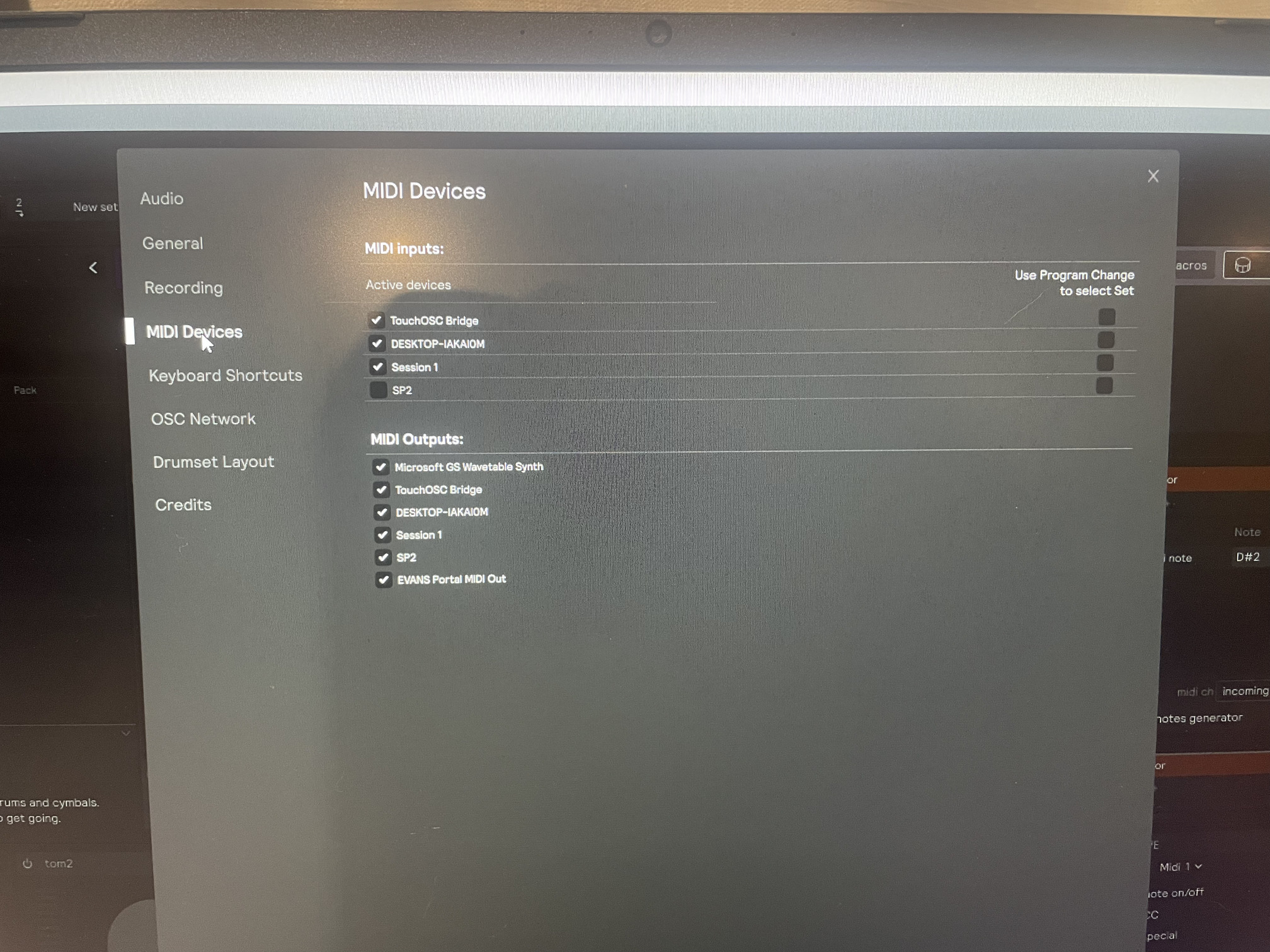
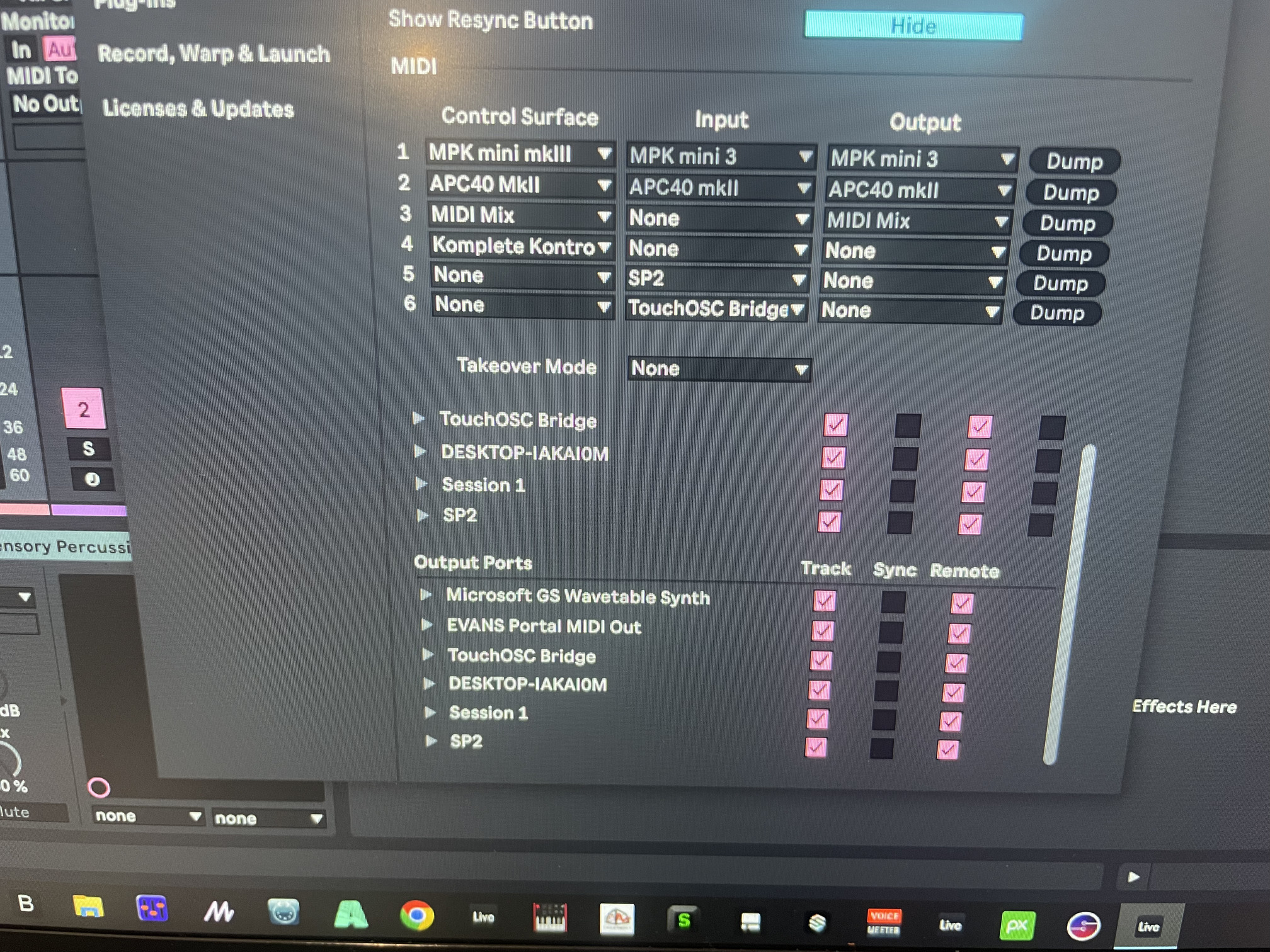
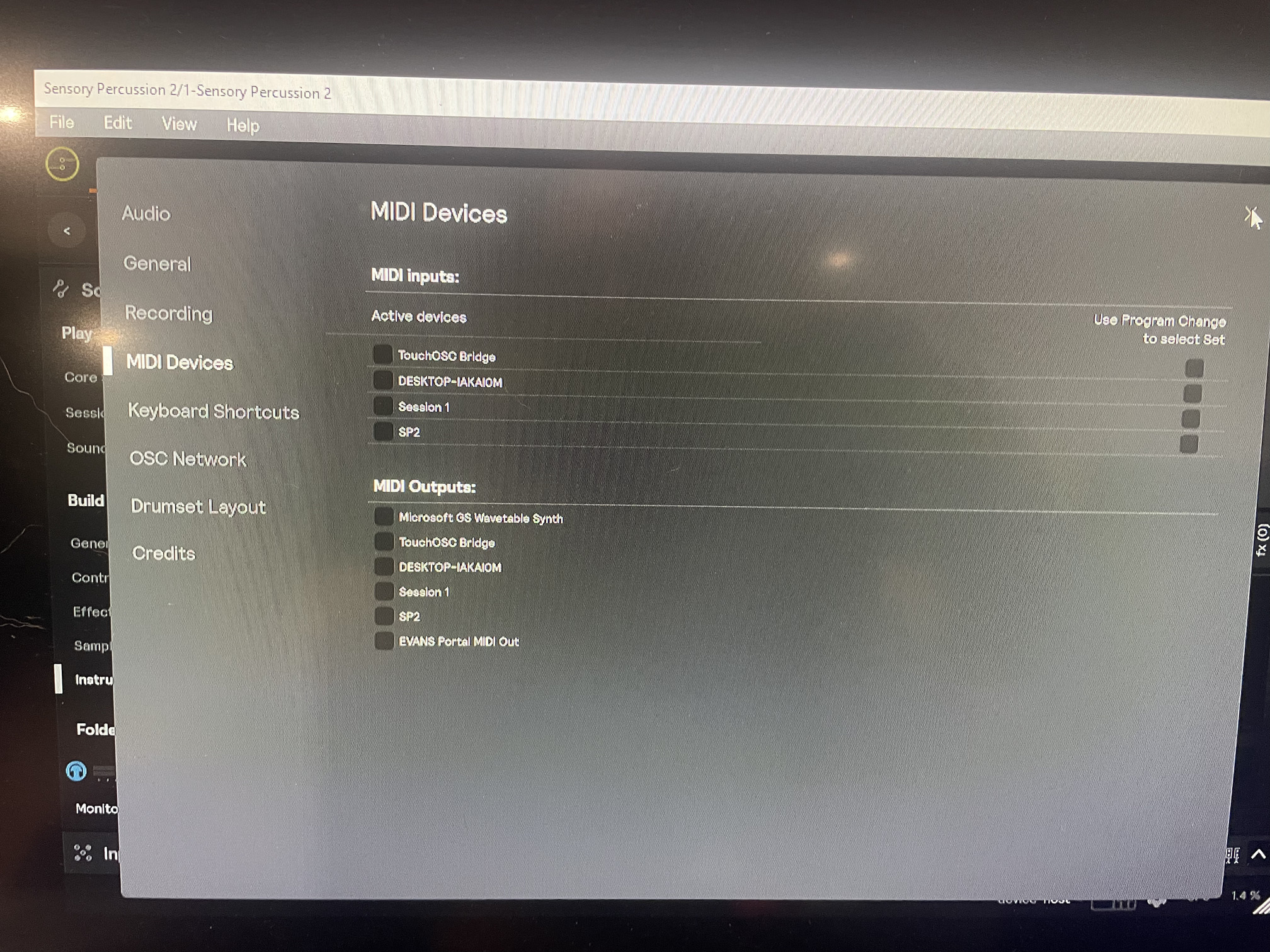
Much like the original post in this thread, the MIDI inputs and outputs in the SP2 VST are ‘greyed’ out and cannot be engaged. When I run the stand alone, all the MIDI I/O appears normally. No matter what I do in Ableton, whether I use the SP2 / Live template or simply add the SP2 VST to a new set or existing song, the MIDI I/O doesn’t appear to be working and therefore, I can’t get MIDI out of the SP2 VST into the other synths..
The 1st image shows the MIDI I/O in the stand alone.
2nd image is MIDI I/O in Live
3rd image is MIDI I/O of SP2 VST in Live
Any help would be greatly appreciated as this is really doing my head in and I’ve spent several hours trying to get this working.
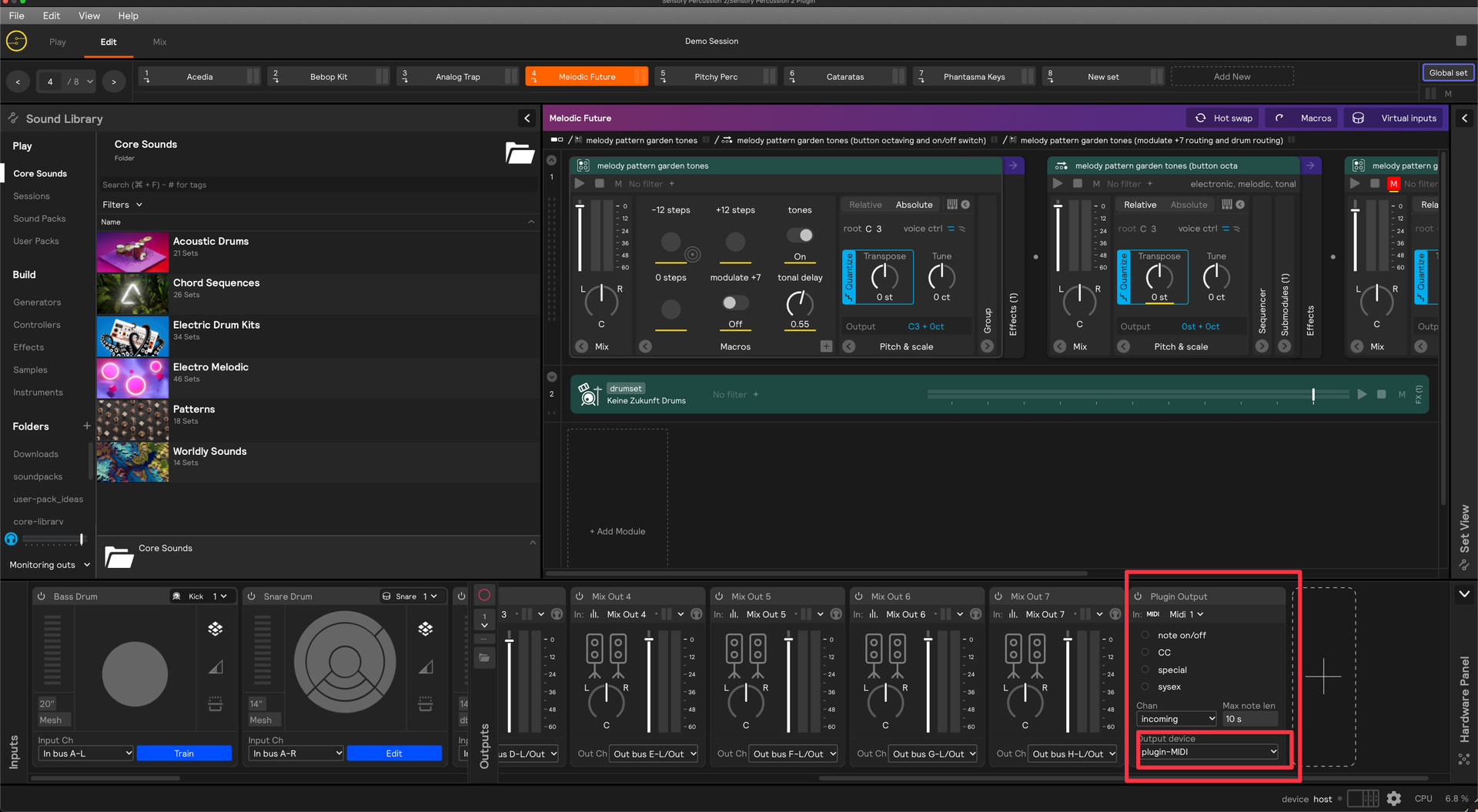
If you’re in the Ableton plugin, once you’ve set up a hardware output for MIDI, then further routing is dealt with by the host (Ableton). So there’s no need to alter things in the MIDI device panel inside the plugin. Just make sure you have this hardware output setup with “Plugin MIDI” selected:
If you’re using the template, then this is set up for your automatically. And if you are using the template, there is a MIDI channel setup already waiting to receive from the plugin. If you are using a software synth, you can just load it on that channel and it should be good to go. If you need the MIDI to go outside of Ableton, then you can select an Output from the dropdown:
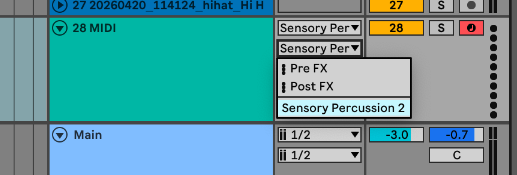
If you need more than one thing to receive MIDI, then you can probably just duplicate that track, but you can also create a new one with Sensory Percussion 2 selected as both the main and sub inputs:
Just keep in mind, because of the way MIDI works for plugins hosted inside Ableton, plugins can only send MIDI over one channel. I.e., you can’t send MIDI out of the Sensory Percussion 2 plugin on two different channels. But, depending on what you are trying to do, there are often work arounds to accomplish your goals using just one channel.