Note: I haven’t had time to re-install SD3 on my machine and test this to make sure that it works, so please let me know if anything is not right, and I will update this post with any corrections.
Edit 4/17/24: I reuploaded the template, because I noticed a typo in one of the set titles
Edit 3/2/2026: I added a new, additional .sp2 that includes Work In Progress Cymbal mappings. Leaving the other template file, as well, since it includes “cymbals on rims” and “cymbals on drums” mappings that are not present in the new version.
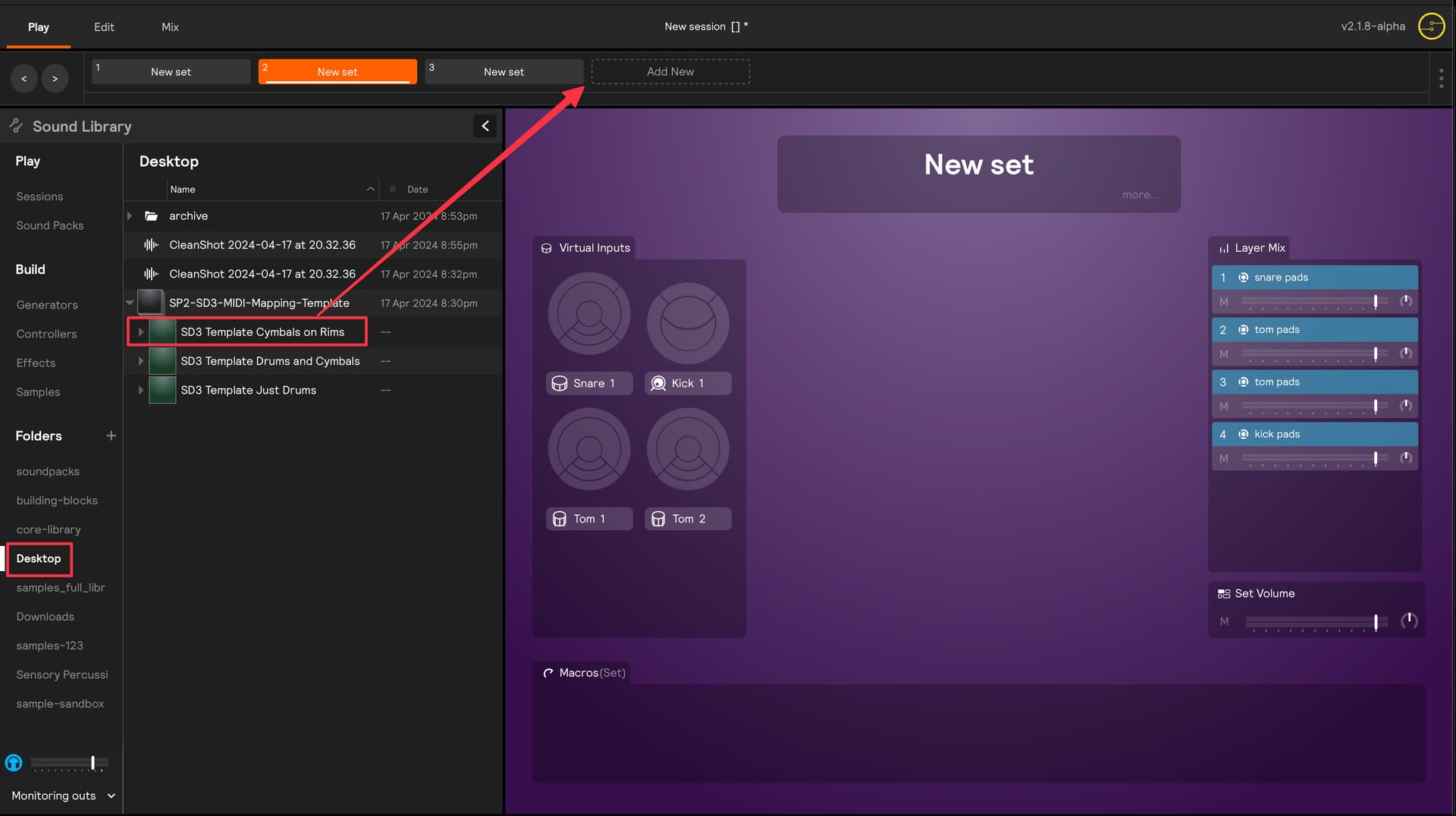
You can just bookmark a folder with the above .sp2, and then drag & drop the sets into your working session (or just load the session whenever you need it).
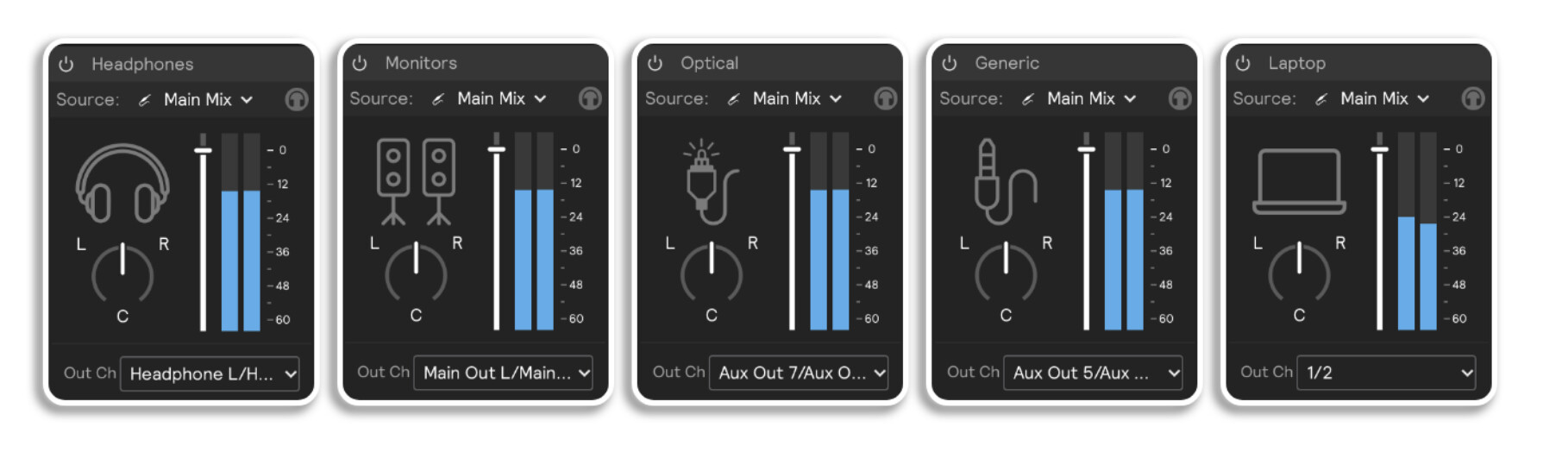
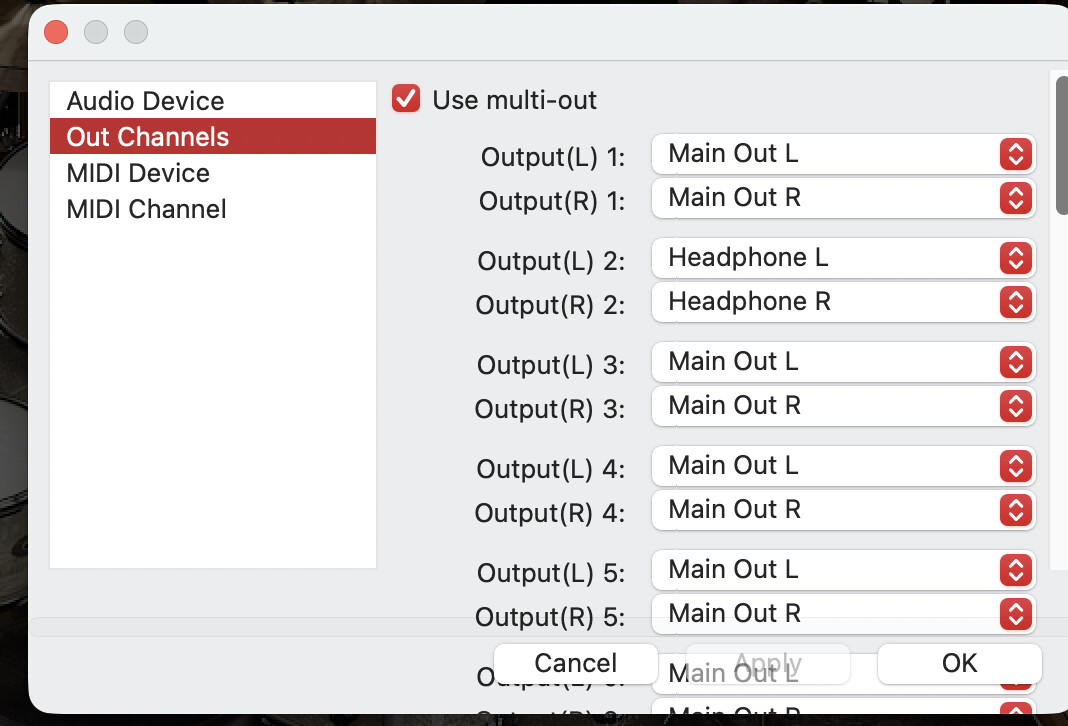
If you’re talking about sending audio from Sensory Percussion to both the headphones and main outs, you actually don’t have to create a submix to do that. You just need to create an additional analog hardware output and choose “headphones” from the output channel dropdown, like the first hardware output in the image below:
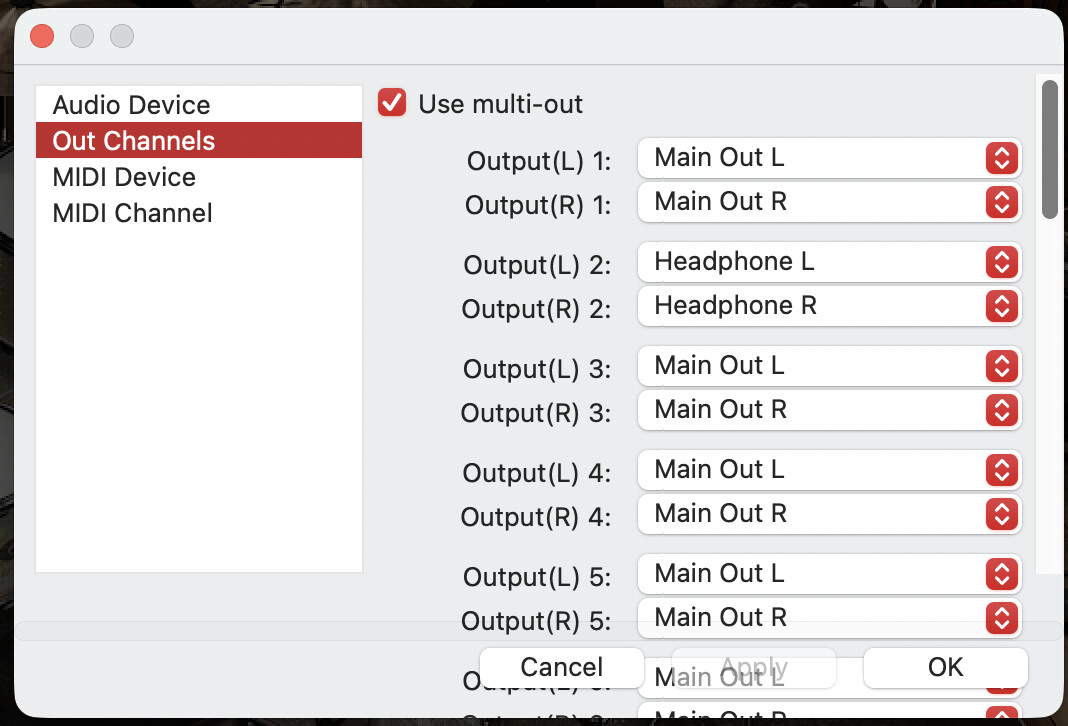
The template posted in this thread sends MIDI from Sensory Percussion, so it’s likely that audio in your case is actually coming from Superior Drummer. There are a few tutorials out there on how to route audio out of multiple outputs in Superior Drummer 3. Not sure which DAW you’re using (if any), but it sounds like it should be the same regardless. The main outs of the EVANS Portal are channels 1/2 and the headphone outs are channels 3/4, so you would just need to send out of both of those.
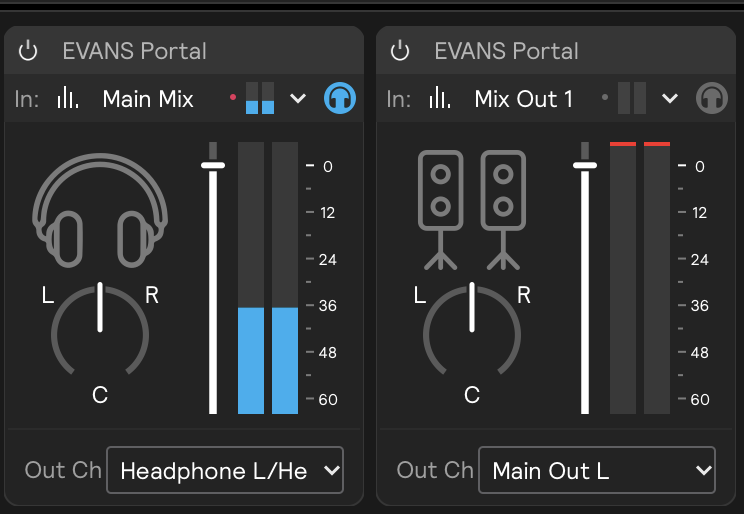
I use a throne thumper connected to the L main out of the portal, an iPhone connected to inputs A/B and an iPad connected to inputs C/D. I created a Mix Out 1 to send only the SP sounds to the throne thumper since I don’t want to activate it with the sound from neither iPhone/iPad. This works great with internal SP sounds and it looks like this:
But when I go to SP I can’t listen to Superior Drummer 3 with this same mix settings, the throne thumper gets activated when I play but I can’t listen to SD3
Thanks for the additional info. So it seems like everything is working in Sensory Percussion, but you can’t get the same behavior in Superior Drummer 3? It’s possible that Superior Drummer 3 doesn’t have the same submix functionality. Are you using Superior Drummer 3 as a plugin inside of a DAW?
I also noticed you’re sending the main mix out of just the left channel of the Main Outs, which will be mono. If you want to keep to this, you might consider changing “Output (R) 1” to “Main Out L” in the Superior Drummer mix page.
Not sure I completely understand your setup and which programs are sending/receiving which combinations of audio + MIDI, but one thought is that you could reverse the mixes and send all the SP sounds in the main mix, and then put the ipad/iphone in a submix that is sent only to your headphones.
Not sure if that’s helpful, but if you have specific question about how submixes work in Sensory Percussion 2, we’re happy to walk you through it. Not as familiar with how Superior Drummer 3 audio routing works, though. Generally, submixes are for audio, so if you’re looking to separate the MIDI you’re sending to different channels, that can be done in the MIDI hardware output.
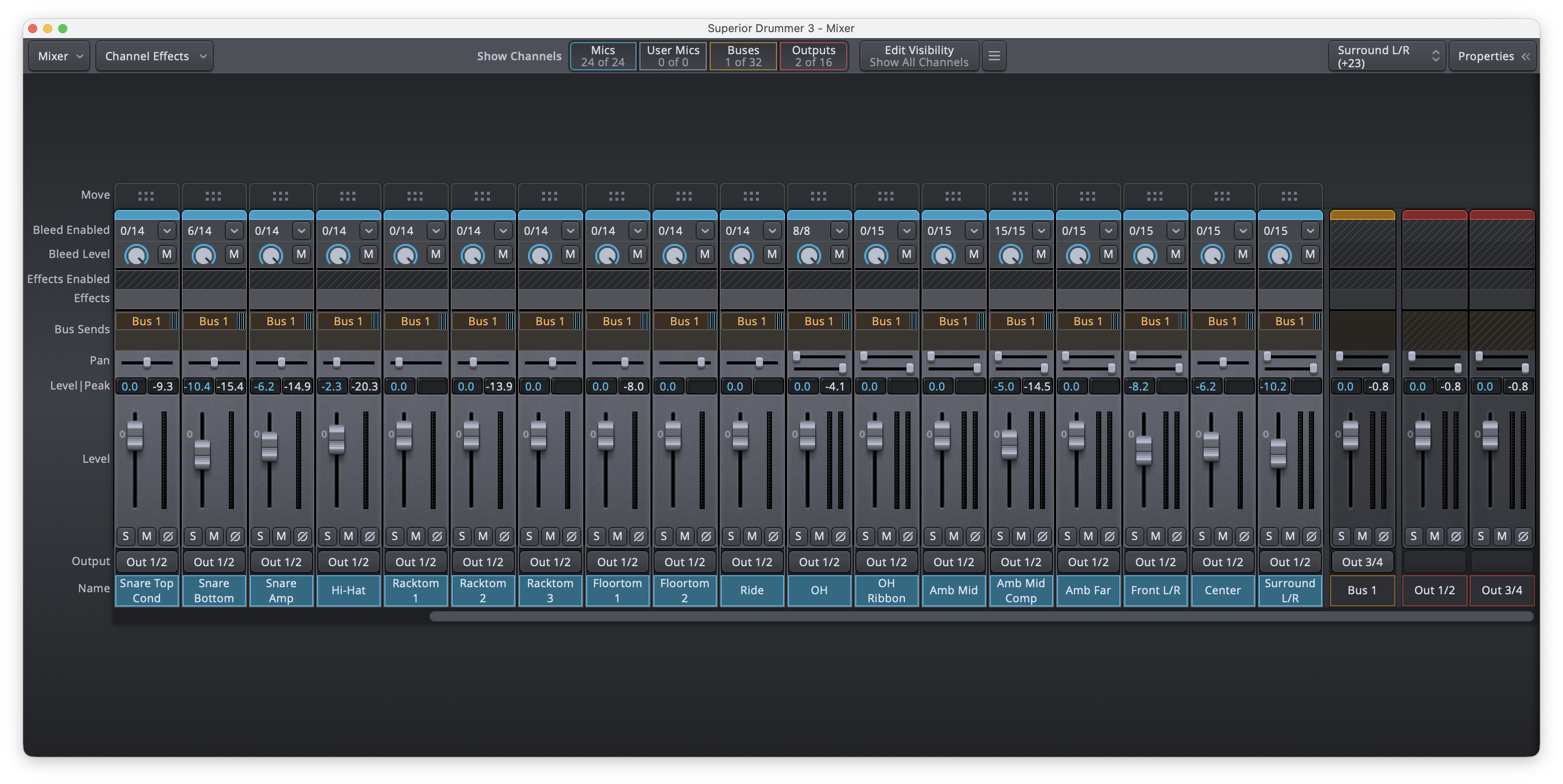
I just want to activate the throne thumper feed from the Main L, right now it doesn’t get any signal from SD3, everything else works, I’m not trying no do anything with midi or multi track audio, it’s just this throne thumper (BCX Gigster) that doesn’t work, maybe I need a software called “Loopback” that allows you to send the same signal to 1/ and 3/4 from SD3, right now it’s just one or the other and SP2 also doesn’t accept the same 2 channels on 2 different outputs. Once I select one pair it’s greyed out in the other.
Ok I just asked google and it responded in a way I haven’t thought of and now it works! I just had to select all channels in SD3 and create a Bus, I then assigned this Bus to 3/4, so now I have the same signal on the SP 1/2 headphones and 3/4 main outs for the throne thumper.